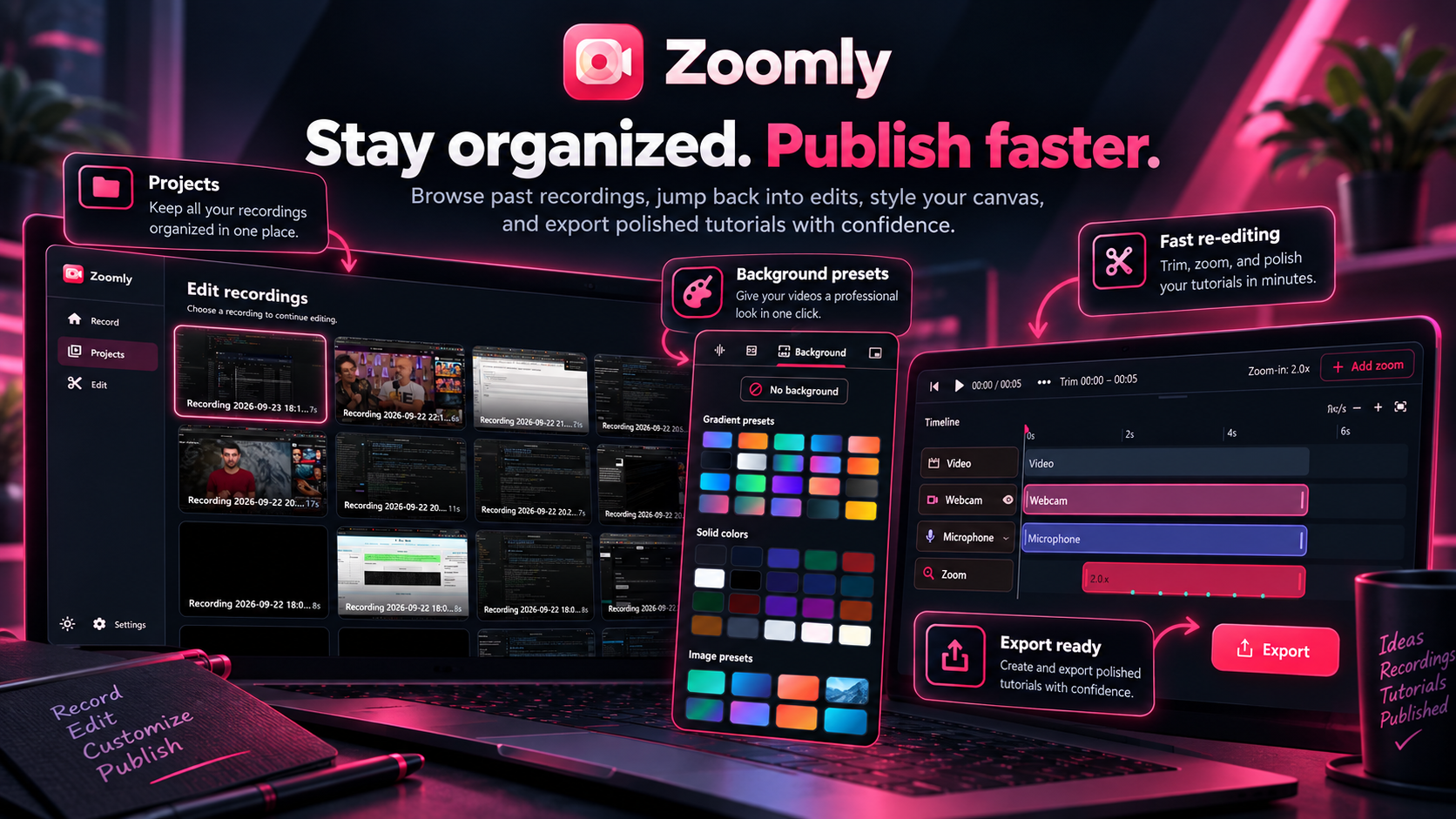
Windows screen recorder with auto zoom

Zoomly Screen Recorder: Auto Zoom on Clicks for Windows

Turn screen recordings into polished videos automatically.

Zoomly is a free Windows screen recorder that zooms smoothly into clicks, follows your cursor and helps you create professional tutorials, demos and walkthroughs in minutes.

The main download link works on any device; the second opens Microsoft Store on Windows.

Zoomly screen recorder and auto zoom app for Windows icon
Automatic zoom on clicks
Offline captions
MP4 and GIF export up to 4K

Product preview

See Zoomly in action

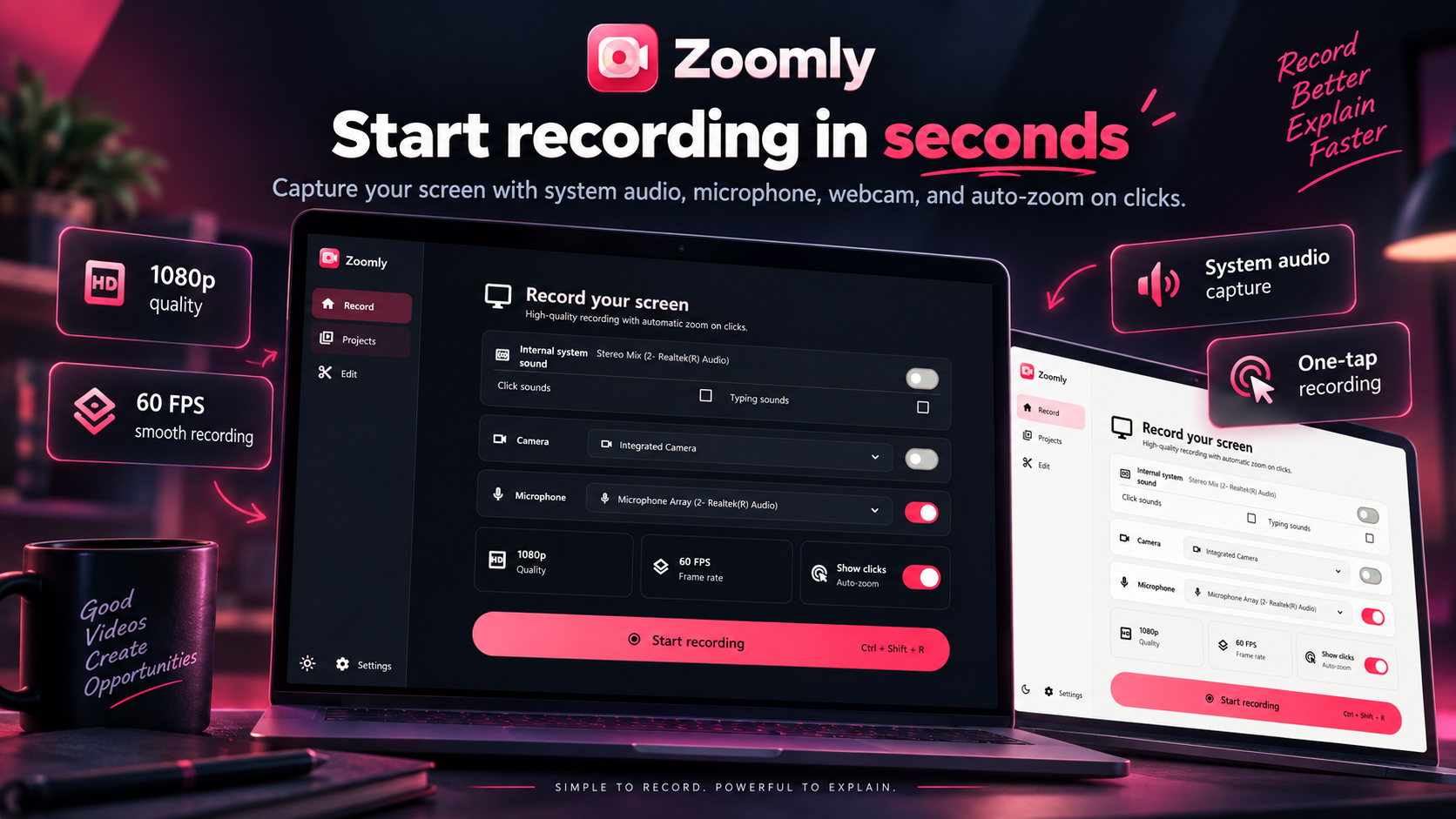
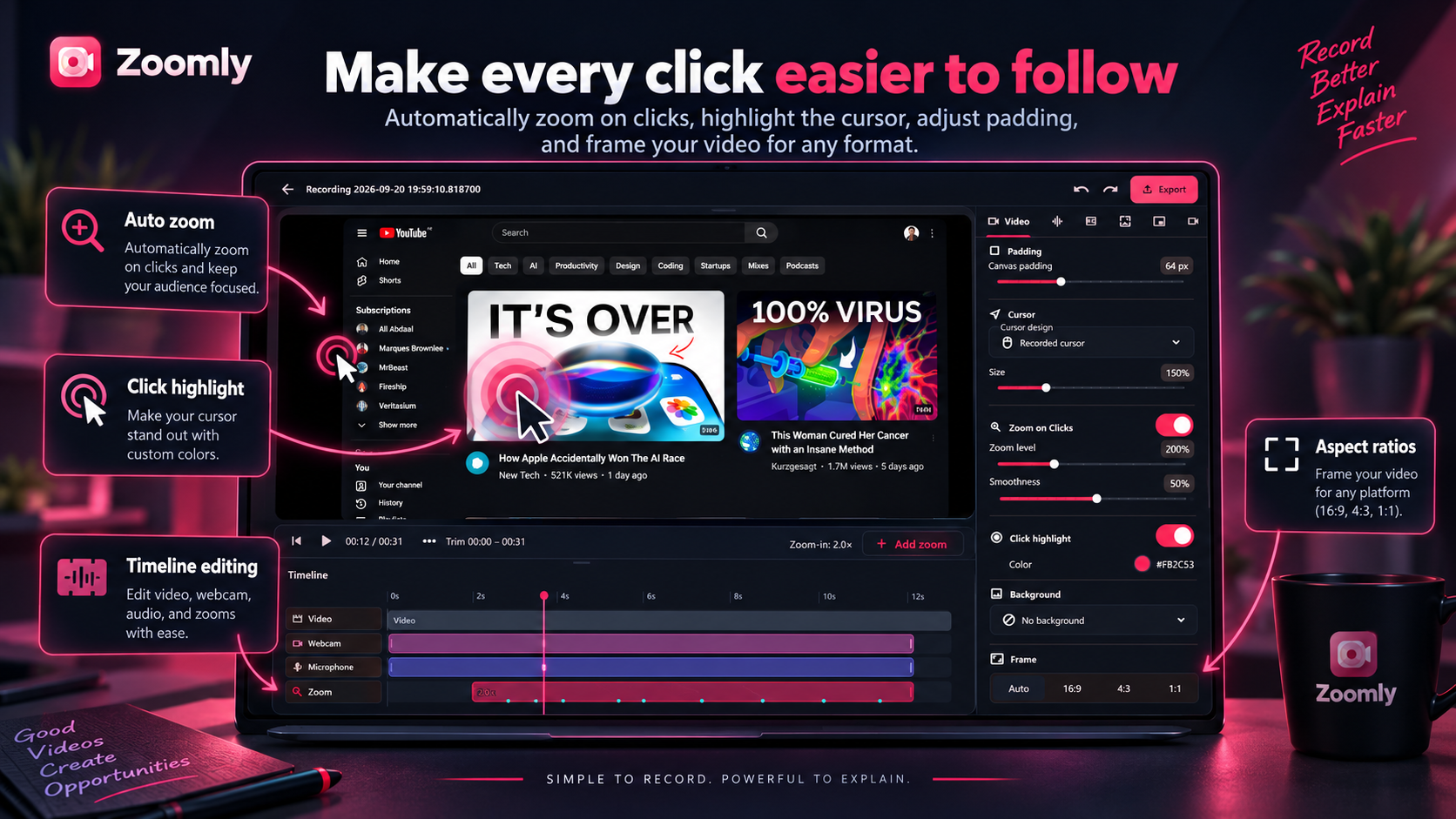
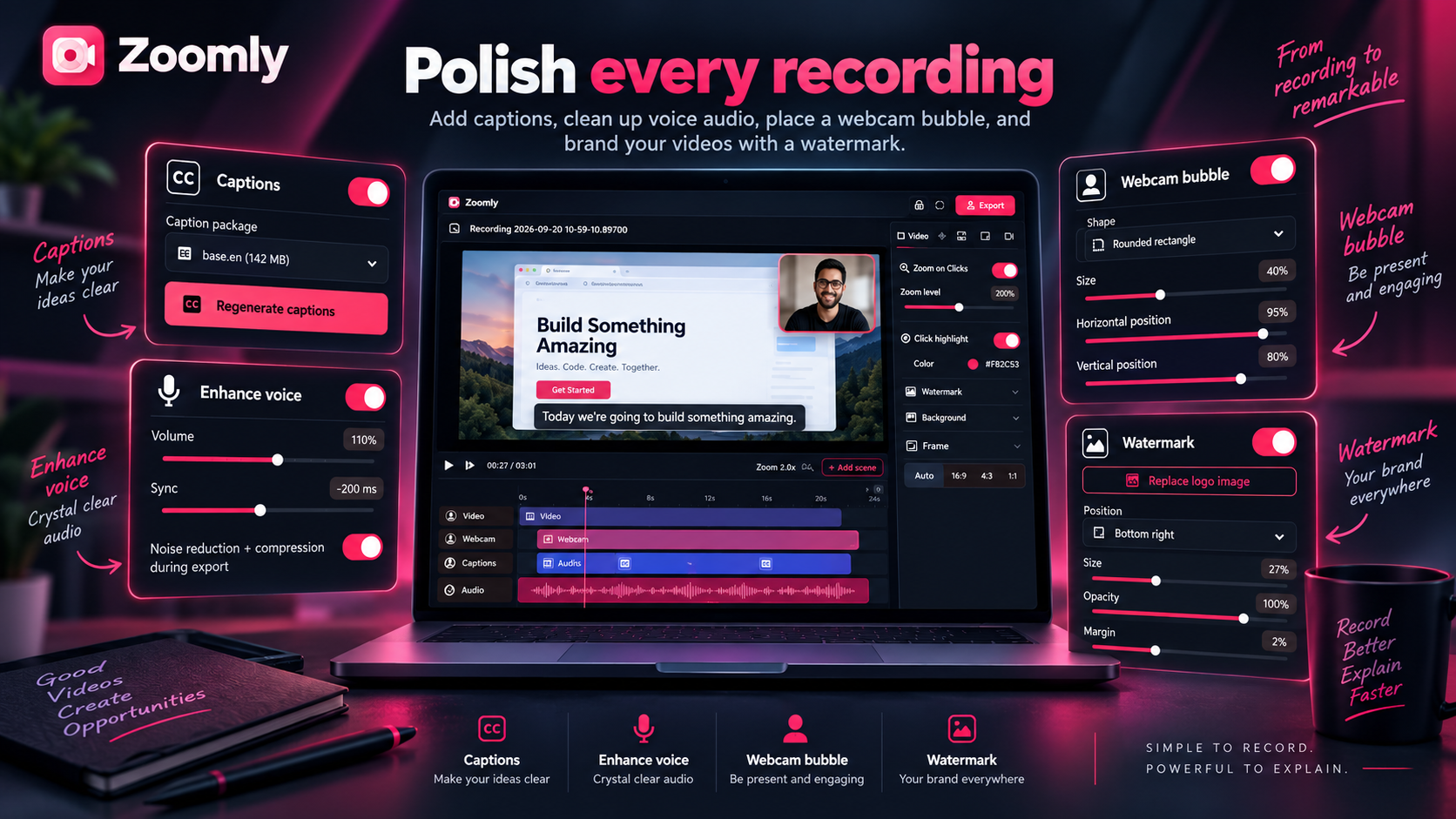
Official screenshots from the Microsoft Store listing. Select any image to view it at full size.

What is Zoomly?

Zoomly is a screen recorder and video editor for Windows built around auto zoom. Instead of manually keyframing zooms in an editor, Zoomly adds smooth zoom-and-pan effects around clicks and typing while you record, then lets you fine-tune them later. It is made for creators, developers, teachers, marketers and support teams who need clear how-to videos fast.
Automatic zoom on clicks and typing

Choose Zoomly mode and the recorder zooms into what matters. Set the zoom level, smoothness, cursor size and click-highlight color, then add or adjust zoom points at any time on the timeline.

Screen, webcam and separate audio tracks

Record the full screen, one window or a custom region with an optional webcam bubble. Choose its shape, size, position, mirroring, shadow and border. Capture microphone and system audio as separate, editable tracks.

Offline captions and studio-quality voice

Generate captions on your PC without an internet connection or subscription. Your audio never leaves your computer. Style captions with outlines, karaoke word highlighting or a minimal look, and use voice enhancement, noise reduction, compression, volume, mute, solo and sync controls to keep narration clear.

Backgrounds, themes and a simple editor

Add padding, rounded corners and shadows, then choose a solid color, gradient, image or blurred-video background. Add a custom watermark and polish the recording with split, trim, delete, speed controls, arrows, text callouts, highlights and blur boxes for sensitive information.

Export anywhere, privately

Export MP4 or GIF up to 4K with presets for YouTube, X, Discord and vertical video for Shorts, Reels and TikTok. Recordings, audio and captions stay on your PC and are never uploaded by Zoomly.

Who is Zoomly for?

  • Software tutorials and product demos that keep viewers focused on each click
  • Teachers and course creators recording lessons with webcam and captions
  • Developers and SaaS teams making walkthroughs and bug reports
  • YouTubers and social creators exporting landscape or vertical video
  • Support and training teams creating clear how-to guides

Zoomly vs. a standard screen recorder

  • Zoom on clicks: automatic and adjustable instead of manual editing
  • Captions: generated locally instead of relying on a cloud service
  • Backgrounds and padding: built in without a separate editor
  • Privacy: screen recordings and audio are not uploaded

Record with auto zoom in three steps

  • Choose your microphone, camera and quality, then enable auto zoom.
  • Press Ctrl + Shift + R to start recording.
  • Polish the result with a background and captions, then export as MP4 or GIF.

Questions, answered

Zoomly FAQ

Is Zoomly screen recorder free?

Yes. Zoomly is free to start. Zoomly Pro unlocks 4K export, unlimited captions, GIF export, custom themes and more.

Does Zoomly zoom automatically when I click?

Yes. In Zoomly mode it zooms and pans smoothly to each click and follows your cursor. You can adjust zoom points afterward.

Do captions work offline?

Yes. Captions are generated on your PC without an internet connection or subscription, and your audio never leaves your computer.

Can I record my webcam and microphone?

Yes. Add a webcam bubble and record microphone and system audio as separate, editable tracks.

What formats can I export?

Export MP4 and GIF up to 4K, with presets for YouTube, X, Discord and vertical video.

Where can I download Zoomly?

Download Zoomly for Windows from the Microsoft Store.

Available on Microsoft Store

Record better. Explain faster.

Get Zoomly