Windows keyboard sound app

KeyTone FX: Custom Keyboard, Mouse & Typing Sounds for Windows

Make every keypress, click and scroll sound the way you want.

KeyTone FX is a keyboard and mouse sound app for Windows with 30+ sound packs, per-key customization and background operation.

The main download link works on any device; the second opens Microsoft Store on Windows.

KeyTone FX keyboard sound app for Windows icon
30+ sound packs
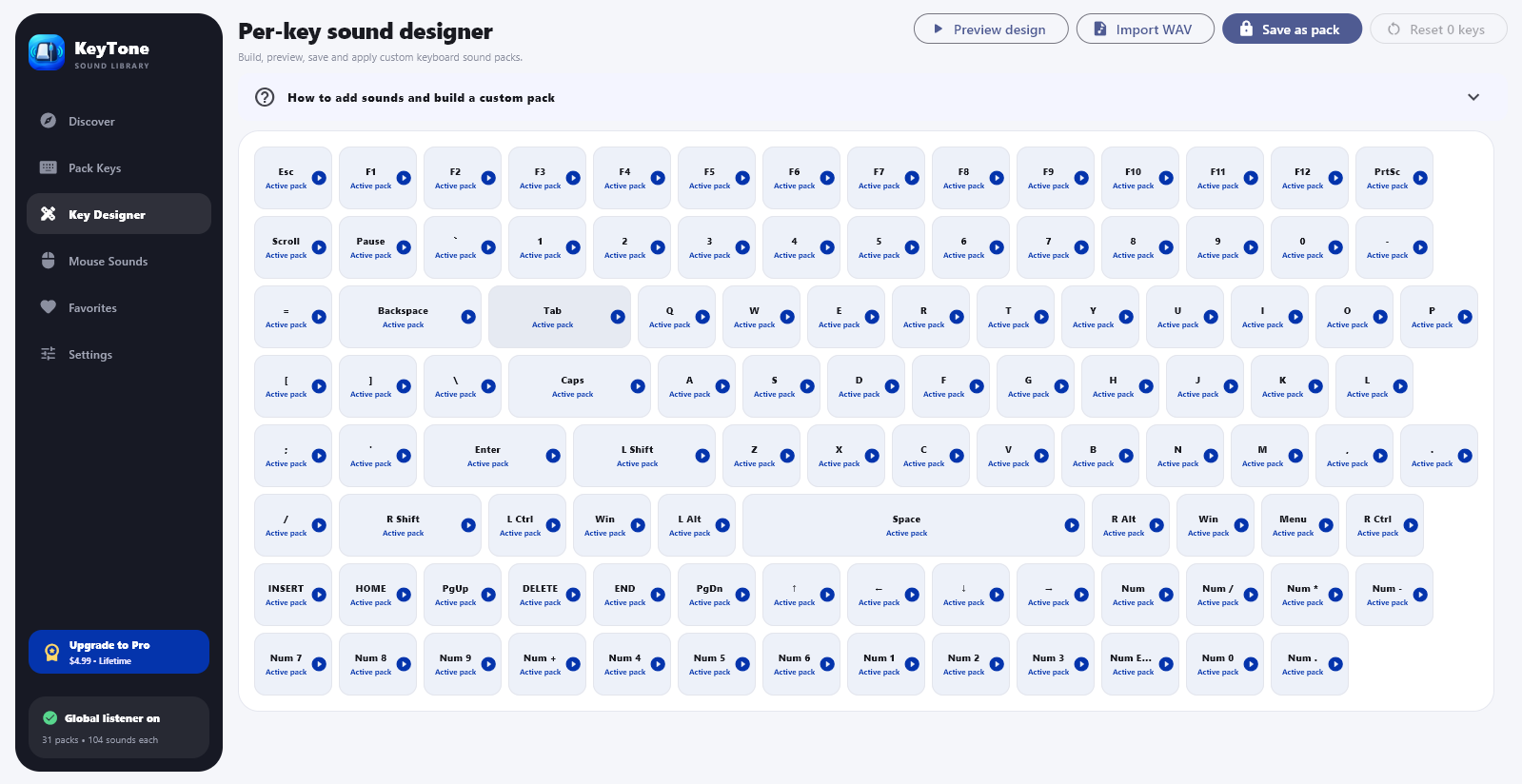
Per-key sound designer
Mouse click and scroll sounds

Product preview

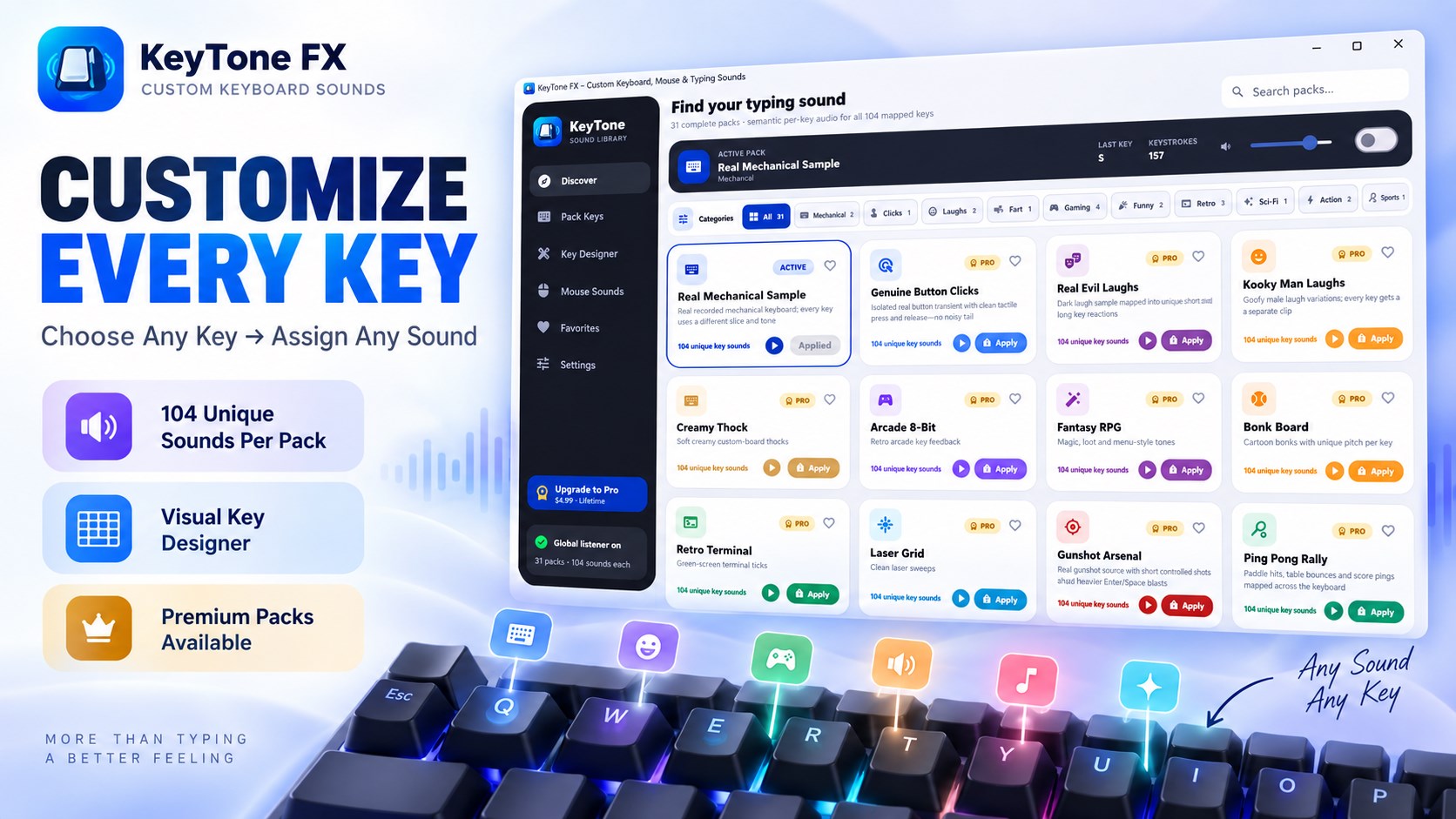
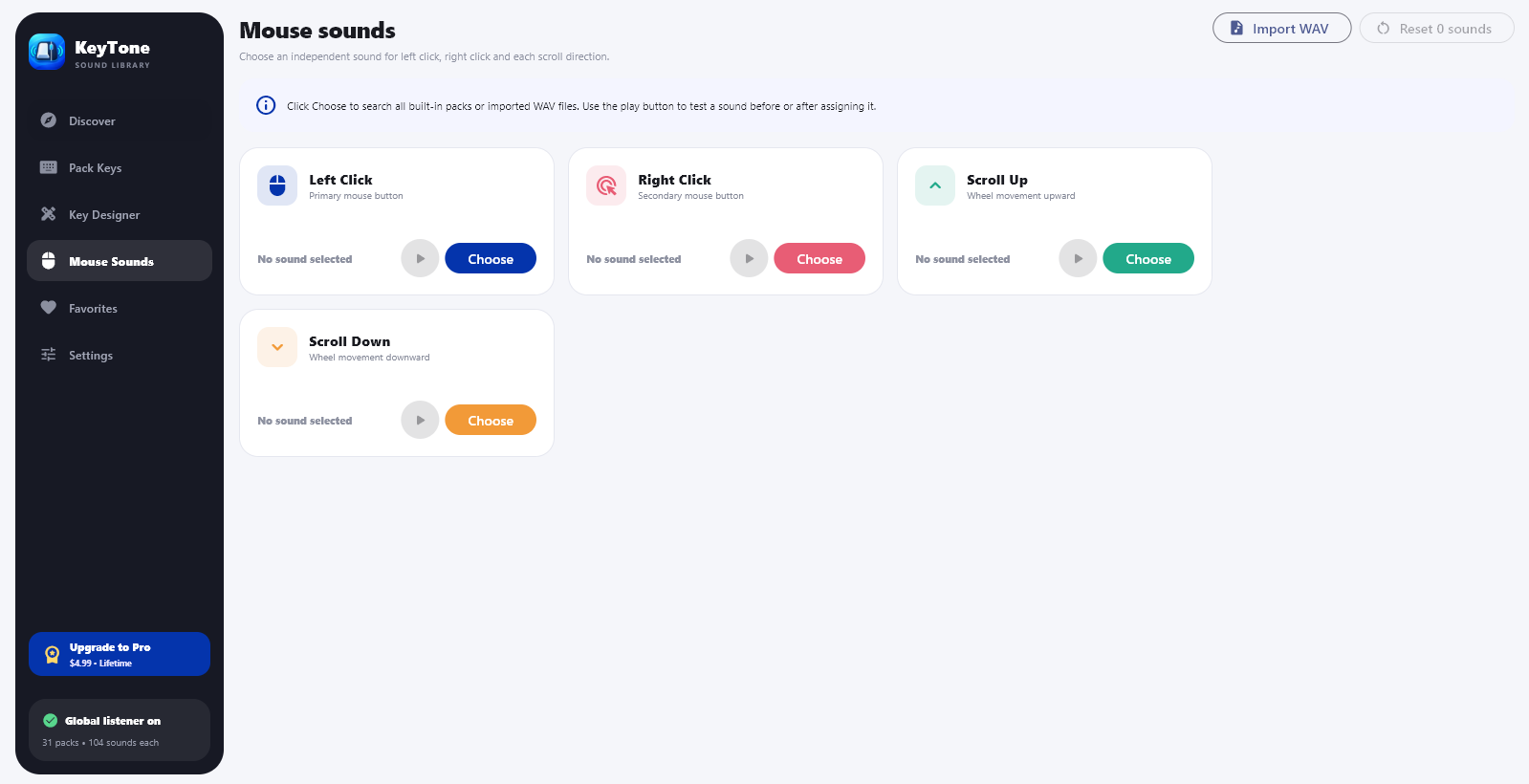
See KeyTone FX in action

Official screenshots from the Microsoft Store listing. Select any image to view it at full size.

What is KeyTone FX?

KeyTone FX is a keyboard sound app for Windows that adds custom typing sounds to every keypress, mouse click and scroll. Turn a laptop or office keyboard into a satisfying mechanical keyboard, or use gaming and reaction sounds while you work, code or play.
Keyboard sounds that feel different on every key

Most keyboard sound apps repeat one sound on every key. KeyTone FX gives letters, numbers, function keys and special keys their own variations. Enter, Space, Backspace, Shift, Tab and Escape can use stronger or more expressive effects, making typing feel dynamic.

30+ sound packs

Choose mechanical keyboard clicks, typewriter sounds, gaming effects, impacts, voice reactions, cartoon effects, camera shutters, wooden knocks, glass chimes, water drops, coin pickups, drums, notification effects and more.

Design custom key and mouse sounds

Use the visual Key Designer to assign a sound to any key, mix packs and save a profile that fits your setup. You can also add sounds to left click, right click and mouse-wheel scrolling across everyday Windows apps.

Works in the background

Minimize KeyTone FX and keep working. Enable automatic startup so your sound setup is ready whenever your PC boots.

  • Made for keyboard enthusiasts, gamers and streamers
  • Useful for programmers, writers and students
  • Free download with optional Pro sound packs and customization

How to get started

  • Download KeyTone FX from Microsoft Store.
  • Install the app and choose a sound pack.
  • Use the Key Designer to create your own keyboard profile.

Questions, answered

KeyTone FX FAQ

Does KeyTone FX work in games and other apps?

It runs in the background, so selected sounds can play while you browse, code, write, chat or play. Compatibility can vary with individual games.

Can I make my laptop keyboard sound mechanical?

Yes. Choose a mechanical or typewriter pack to add a mechanical-style sound to a laptop, membrane or office keyboard.

Can I set a different sound for each key?

Yes. The visual Key Designer lets you assign different sounds to individual keys and save a profile.

Does it add sounds to mouse clicks and scrolling?

Yes. It supports left-click, right-click and mouse-wheel sounds; some premium mouse and scroll sounds require Pro.

Is KeyTone FX free?

It is free to download from Microsoft Store. KeyTone FX Pro is an optional upgrade.

Available on Microsoft Store

Make your PC sound like your PC.

Get KeyTone FX