Scrolling screenshot and editor for Windows

ScrollShot: Scrolling Screenshot Tool for Windows

Capture more than fits on your screen.

Capture long webpages, documents, chats and dashboards in one image. ScrollShot stitches scrolling captures and includes tools to edit, annotate, redact and export screenshots.

The main download link works on any device; the second opens Microsoft Store on Windows.

ScrollShot scrolling screenshot and editor app for Windows icon
Scrolling screenshots with automatic stitching
Annotate, crop and redact
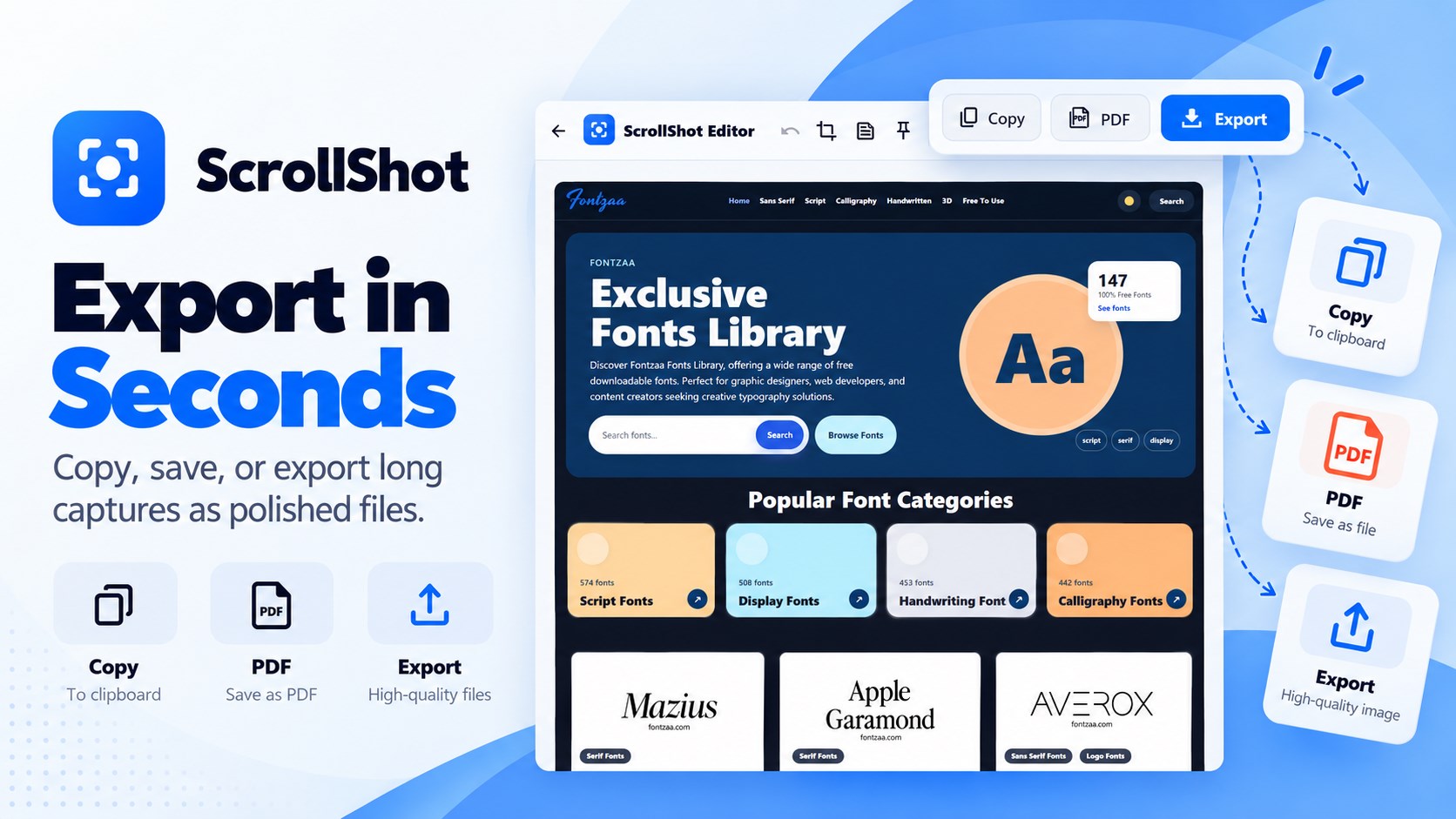
Export PNG, JPG and PDF

Product preview

See ScrollShot in action

Official Microsoft Store screenshots. Select any image to view it at full size.

What is ScrollShot?

ScrollShot is a Windows screenshot tool for capturing more than the visible screen. Capture a full webpage, long document, chat conversation, dashboard or other scrollable content as one stitched image, then edit and export it from the built-in editor.
Capture long pages in one scrolling screenshot

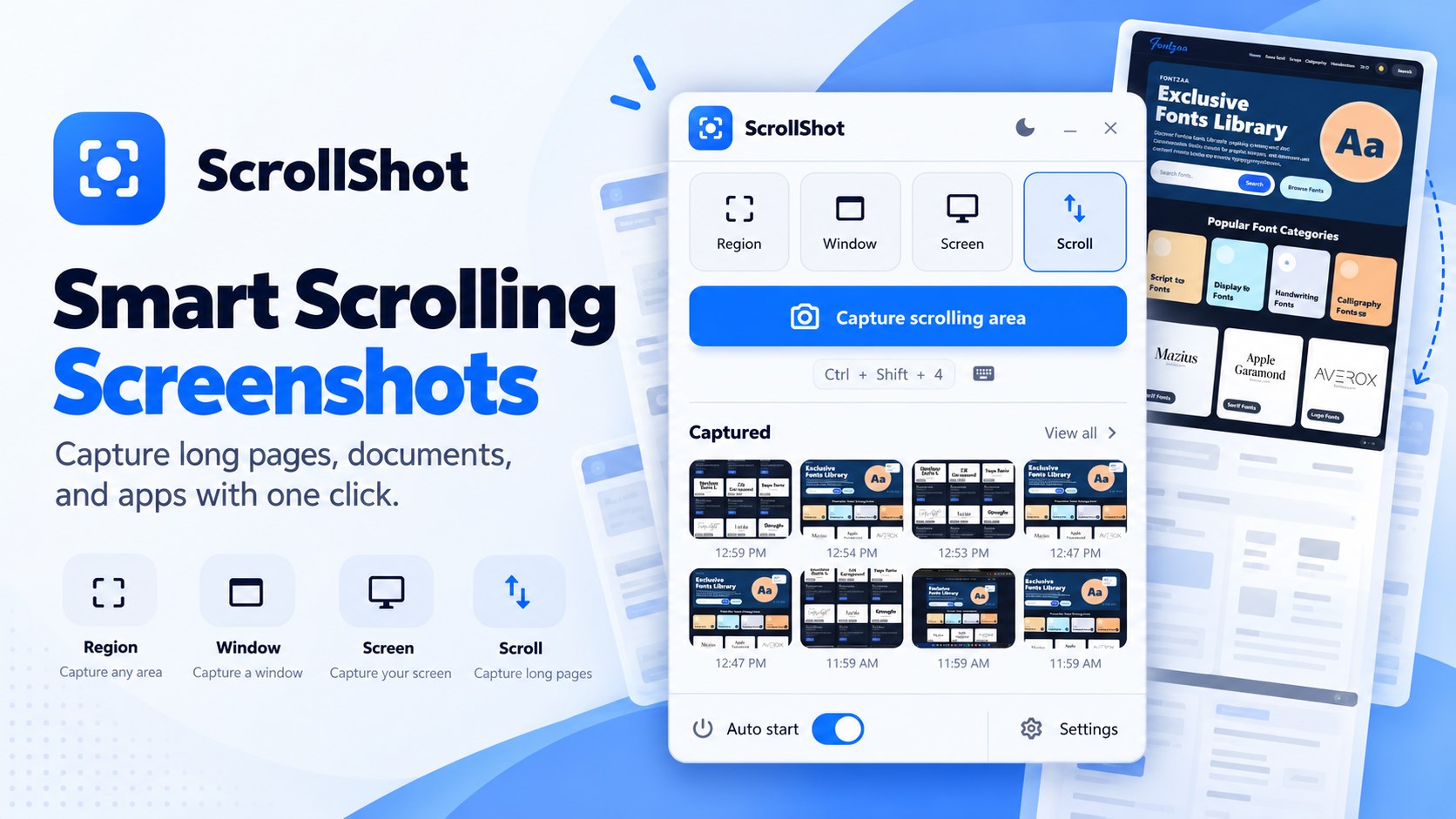
Start a scrolling capture and ScrollShot moves through the scrollable content, capturing and combining sections into one long screenshot. It is useful when a regular screenshot only captures the part of a page currently on screen.

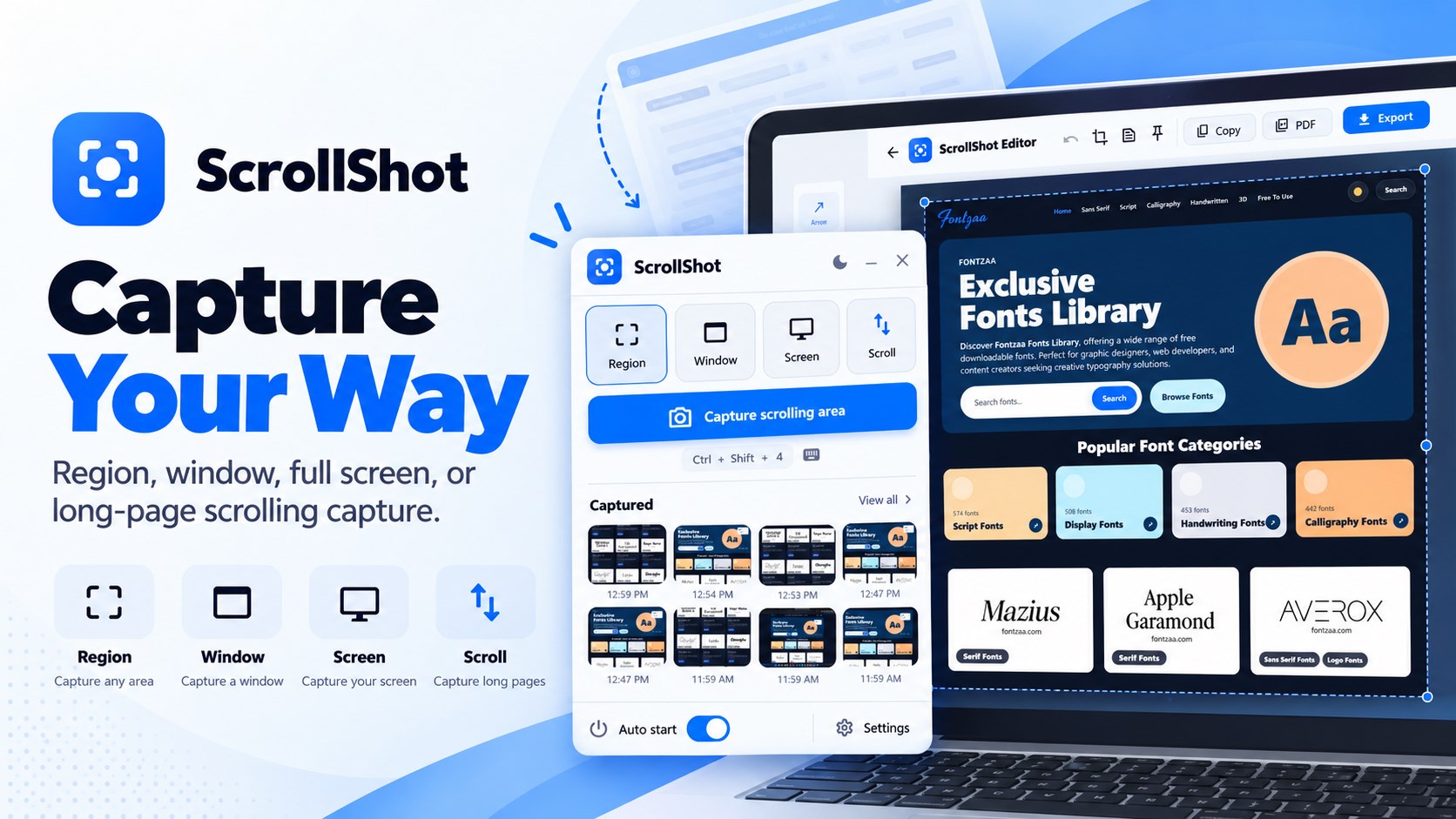
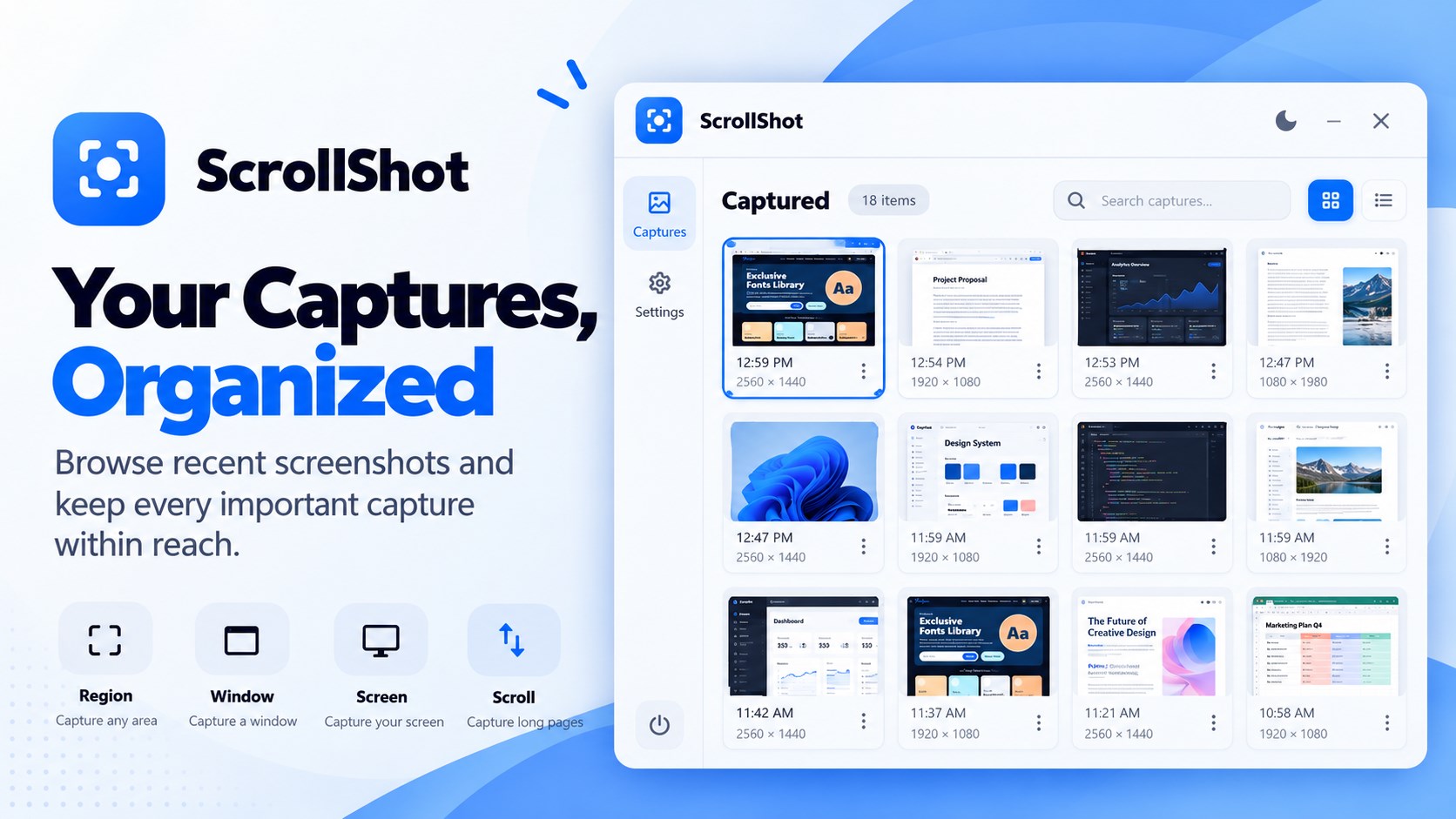
Choose how to capture your screen

  • Scrolling capture for long webpages, chats, lists and documents
  • Region capture to select a specific area
  • Window capture for an individual app
  • Full-screen capture for your whole desktop

Edit and annotate screenshots

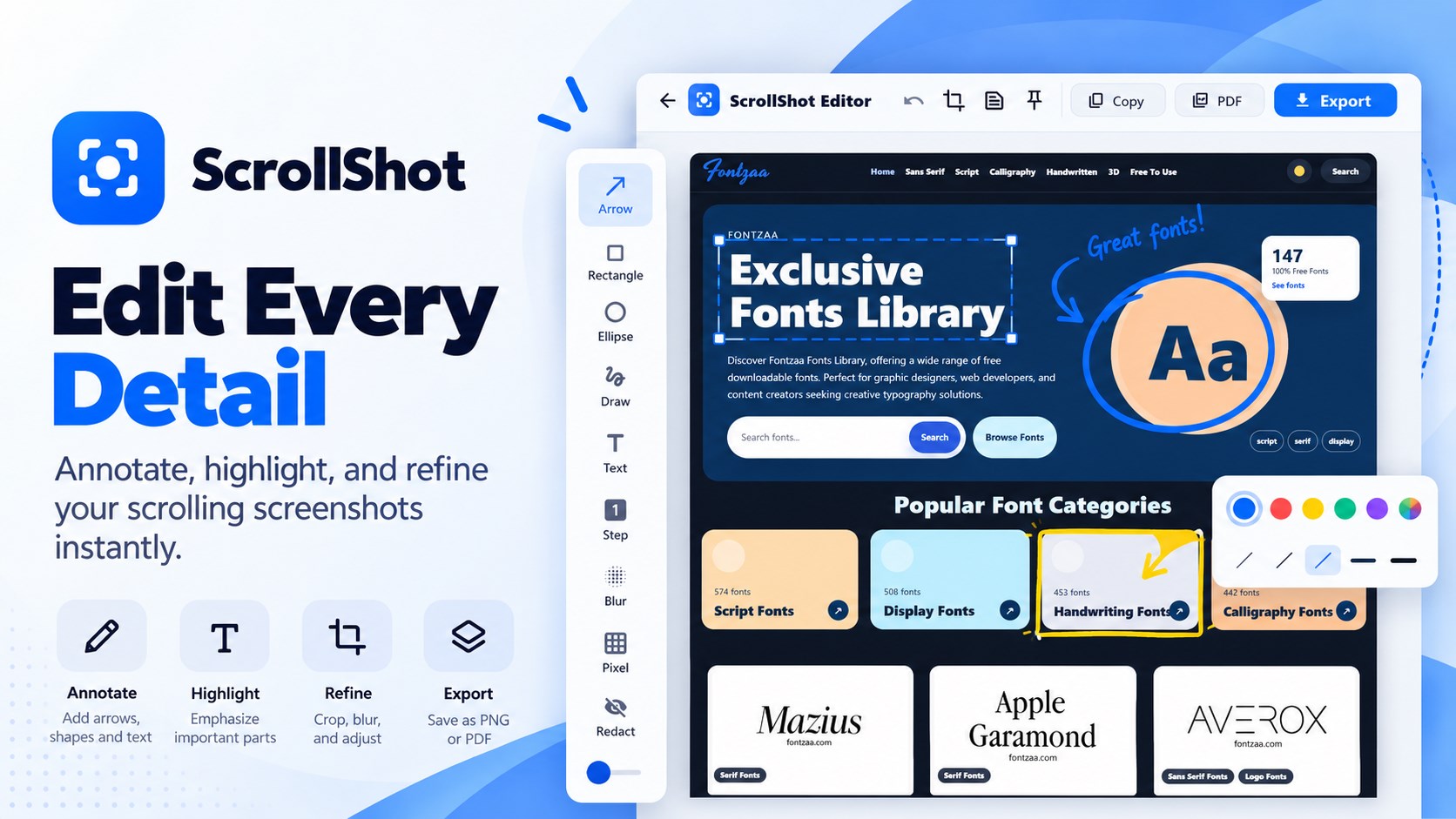
Use the built-in screenshot editor to crop and adjust a capture, then mark up important details with arrows, rectangles, ellipses, text, freehand drawing, highlights and numbered step markers. Blur, pixelate or redact sensitive information before sharing.

Copy, save or export to PDF

Copy a capture to the Windows clipboard or save it as a PNG or JPG image. Export long captures as PDF documents when you need a shareable file for review, documentation or reference.

Shortcuts and quick capture tools

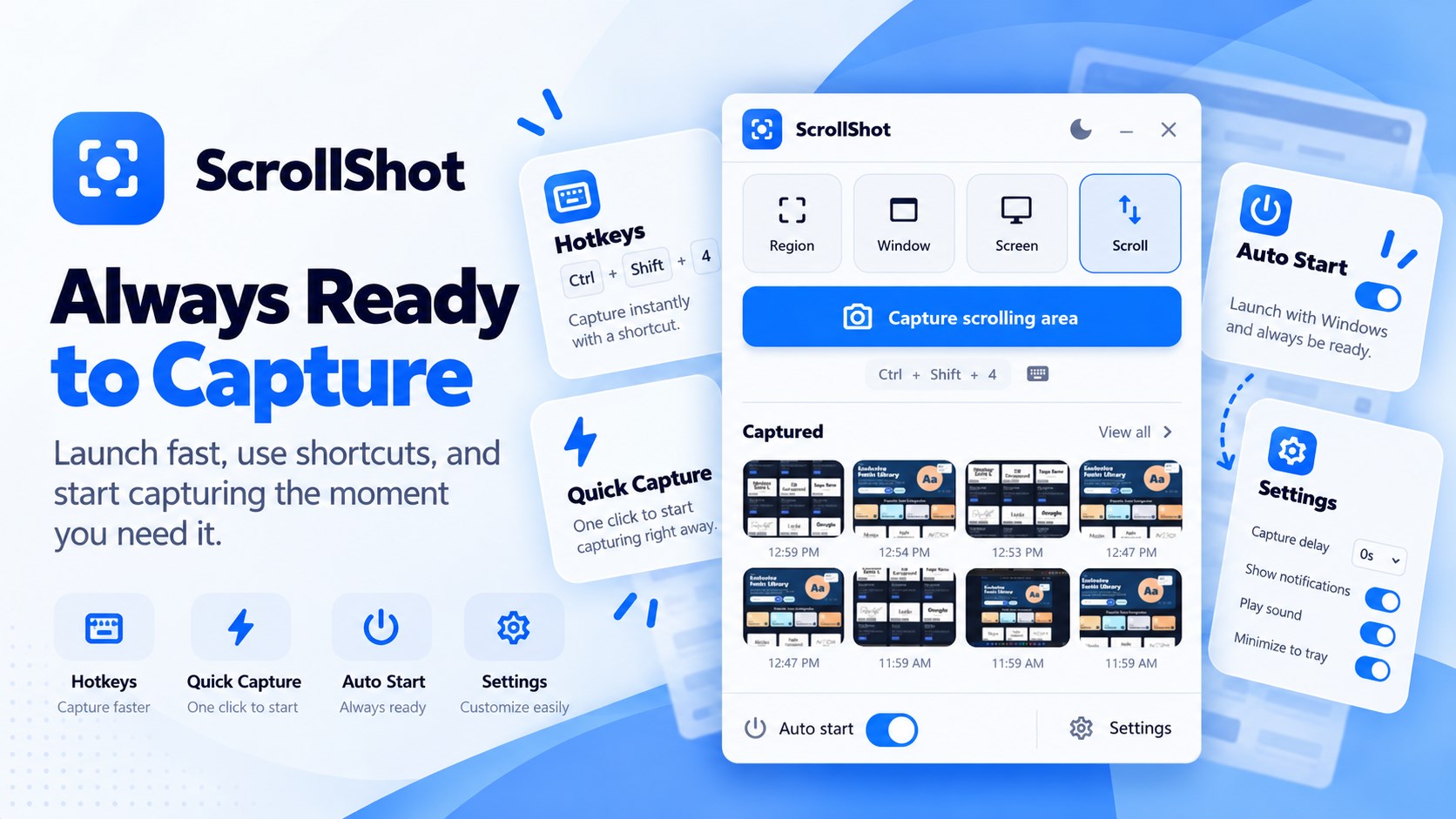
Use customizable global hotkeys to capture quickly, add a delay when you need to prepare a menu or screen, and pin a screenshot above other windows while you work. ScrollShot also includes capture history for returning to recent images.

Free screenshots and ScrollShot Pro

The free version includes region, window and full-screen capture, annotations, crop, clipboard copy, PNG and JPG export, hotkeys and capture delay, plus up to five scrolling captures per day. ScrollShot Pro is an optional one-time lifetime purchase that unlocks unlimited scrolling captures, blur and redaction tools, OCR, numbered markers, multi-page PDF export, pin mode and expanded capture history.

Get started

  • Install ScrollShot from Microsoft Store.
  • Choose scrolling, region, window or full-screen capture.
  • Edit, annotate or redact the result, then copy or export it.

Questions, answered

ScrollShot FAQ

How do I take a scrolling screenshot on Windows?

Start a scrolling capture in ScrollShot, then capture a long webpage, document, chat or other scrollable content. ScrollShot automatically captures and stitches the sections into one image.

Can ScrollShot capture a full webpage?

Yes. Use scrolling capture to capture and combine the visible sections of a long webpage into one screenshot.

Can I capture just part of my screen or one window?

Yes. ScrollShot supports region capture, window capture, full-screen capture and scrolling capture.

Can I edit or annotate my screenshot?

Yes. The editor includes crop, arrows, shapes, text, freehand drawing, highlights and numbered markers. Blur, pixelate and redaction tools are available with Pro.

Can I save a scrolling screenshot as a PDF?

Yes. ScrollShot supports PDF export for long captures; multi-page PDF export is included with Pro.

Is ScrollShot free?

ScrollShot includes free screen capture and up to five scrolling captures per day. Pro is an optional one-time lifetime purchase that unlocks additional features and unlimited scrolling captures.

Where can I download ScrollShot?

ScrollShot is available for Windows from the Microsoft Store.

Available on Microsoft Store

Capture the whole page. Share the details that matter.